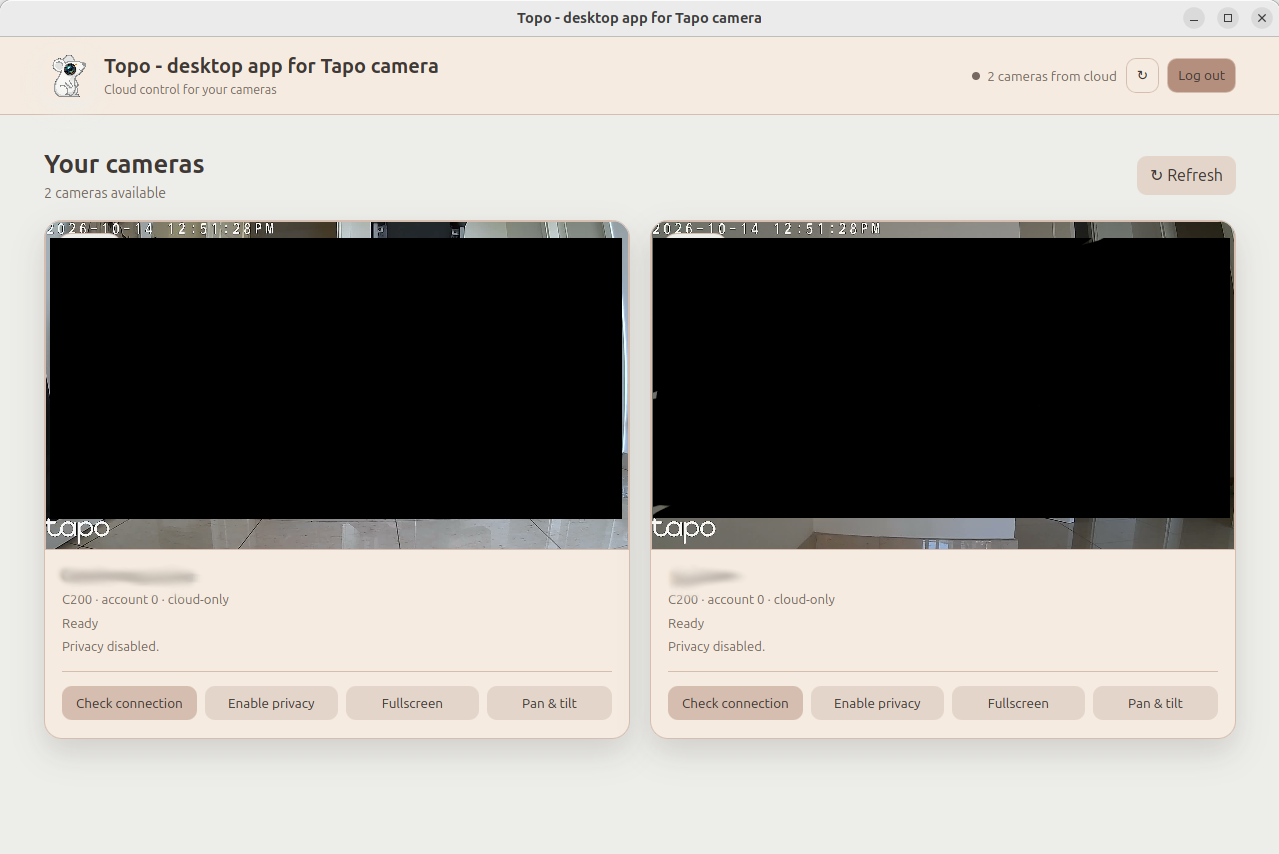
Multi-camera live view
See multiple cloud camera streams in the same responsive dashboard, with per-camera loading, error, and retry states.
Linux · Windows · Tapo Cloud
Topo is a standalone desktop app for viewing and controlling multiple Tapo cameras from one clean window. It uses the Tapo cloud relay, so there is no RTSP setup, port forwarding, VPN, or direct access to your home network.
What you get
Log in with your Tapo account, complete MFA when requested, and keep your cameras together in a focused desktop window.
See multiple cloud camera streams in the same responsive dashboard, with per-camera loading, error, and retry states.
Enable or disable privacy mode independently for each camera and reconnect its media relay after a state change.
Check the cloud relay status for each camera when you need to verify its connection.
Move compatible cameras from a compact control panel with selectable movement steps.
Open any camera fullscreen with a button or double-click, while keeping controls in a separate drawer.
Browse the camera's SD-card timeline by local date and play complete recording segments, even when events are close together.
Save a selected complete SD-card recording as an MP4 file through the native Linux or Windows save dialog.
Complete MFA through a Tapo app notification or an email verification code.
Reuse the saved Tapo session across launches, so MFA is not requested every time.
Clear the saved session and require a fresh login when you choose to log out.
See loading and error states for each stream and retry a camera connection when needed.
Use the dashboard at different desktop window sizes without losing access to camera controls.
Live audio can be enabled per camera after an explicit click, with an independent volume control for each live stream.
Compatibility
Tapo C200 is currently the tested model.
Have another model? Share your results and include the model and firmware version. Never include credentials, session tokens, or private footage.
Project updates
Reduced live-preview latency and made low-latency playback the default live experience.
Added complete SD-card clip playback and MP4 downloads, per-camera live audio volume control, native save dialogs, and a compact newest-first recording list.
Stabilized GitHub Pages deployment and added the Windows release workflow.
Kept the fullscreen Controls button centered when the command drawer opens.
Added an Info button linking directly to the Topo project website.
Initial Flatpak distribution with cloud streaming, MFA, privacy, pan and tilt, fullscreen, and a Linux installer.
In the app
The preview below uses privacy-safe imagery and shows the compact dashboard layout.